
Practical guide
Carry and equip an item
Set up a container, an equipment slot and the rules that connect them.
SGF 1.0.1 · Unreal Engine 5.8 · Reviewed
When you finish
A test character can carry an item, equip it and return it to inventory.
On this page
An item definition describes the kind of thing, such as a torch. An item instance is the particular torch a character owns. Inventory tracks what a character carries. Equipment tracks what the character is using or wearing.
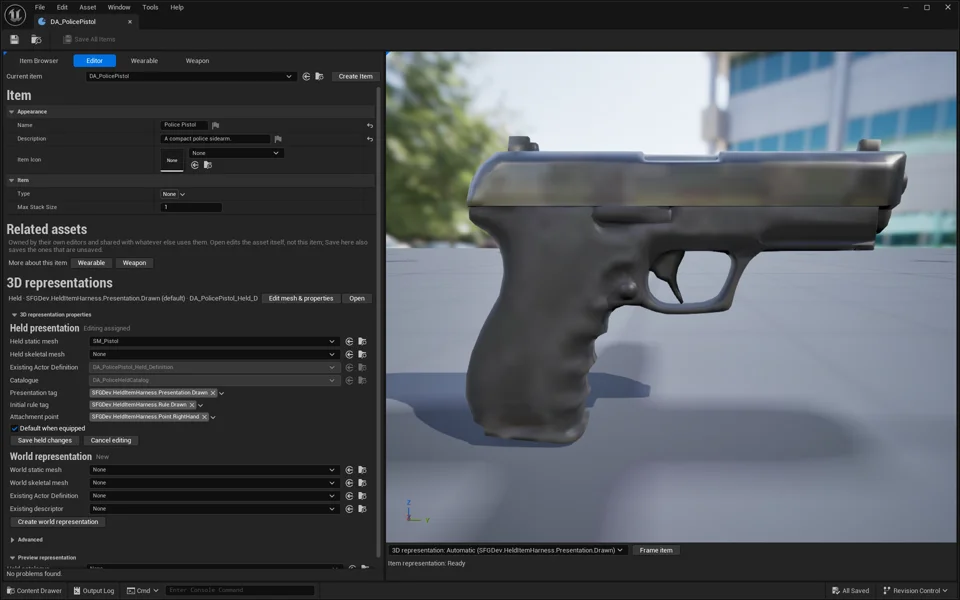
Item Designer shows the visual you assign to the item. The pistol artwork shown is a demonstration asset.
Give the character one item
- Create an item in Item Designer and save it to your project. Give it a name you can recognise in a test.
- Use the inventory on your test character or add one to an actor that needs to carry things. Decide how the item will enter the container. For a level pickup, start with one unit and give the player a way to interact with the pickup.
- Test acquiring it with room in the container and repeat with the container full. If your game uses stacks, check that the count changes by the expected amount.
Give the item somewhere to go
- Add a slot to the character’s equipment configuration, such as Main hand. Use the item equipment catalogue to declare that your torch can go in that slot.
- Use the inventory/equipment connection for items owned by inventory. Hook your equip and unequip actions to that connection so the slot and loose storage are updated together.
- If you want a visible torch in the hand, set up its held representation and attachment. A world mesh is what you see on the ground. Check both views of the item independently.
- Test with an empty slot, with a different item occupying the slot, and with no room to put the torch back. Check what the player sees when the game refuses a move.