
Storm Game Framework
What do you want to build?
New to SGF? Set up your Unreal project, then try the included Humanoid.
Browse the module reference to see what each part does and how to get started with it.
SGF 1.0.1 · Unreal Engine 5.8
Create a playable character
Choose a Humanoid template, give it your own configuration, and play it in a test map.
Follow the screenshot walkthrough →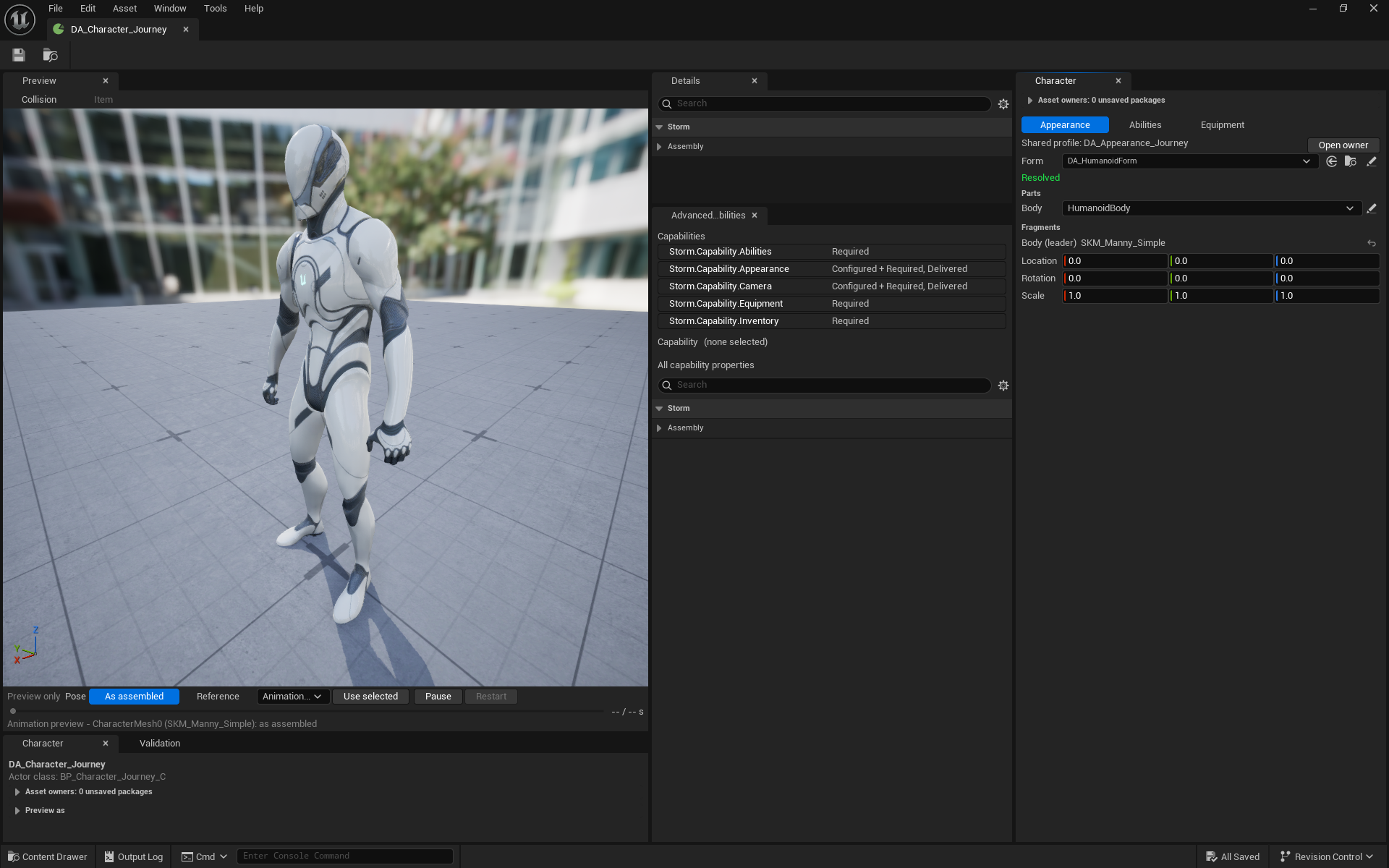
Set up your project
Prepare SGF and choose where your game assets belong.
- Prepare a project for SGF charactersEnable SGF, configure input and register the assets needed by the supplied Humanoid.
- Keep your game content separateChoose project folders and understand when to reuse or copy SGF assets.
- Find a module or editorBrowse the SGF 1.0.1 module reference and find the guides for using each system.
- Plugin and asset modulesFind the plugin entry, shared project tools and settings that help SGF locate your assets.
Create and customise characters
Build a playable character, then configure its appearance and capabilities.
- Create a playable HumanoidAssemble a character from the supplied template, give it your own appearance profile and play it in a test map.
- Customise a character's appearanceChange the body or clothing on your own Humanoid and preview it in motion.
- Set up camera views and animationTry the Humanoid's camera views, then choose how movement, held items or shared animations should look.
- Character and animation modulesLook up the modules for characters, appearance, camera views, movement, animation and character authoring.
Create AI behaviour
Find the assets that describe an agent and author its behaviour.
- Find and open AI assetsUse the AI Asset Browser to locate action sets, states, senses and engagement configuration.
- Give an NPC a first behaviourMake a small action set and use it from a state on an AI-controlled Humanoid.
- Help an NPC notice and moveGive an NPC one thing to notice and one reachable place to go.
- Coordinate NPCs in a fight or on a jobAdd group orders, combat positions or shared jobs to NPCs that can already act on their own.
- NPC behaviour modulesFind the modules for AI states, actions, senses, movement, combat, squad orders and jobs.
Build items and equipment
Create items, manage inventory and equip a character.
- Create a pistol itemCreate a Service pistol item, choose its world mesh and save its linked assets in Item Designer.
- Carry and equip an itemSet up a container, an equipment slot and the rules that connect them.
- Set up a weapon and ammunitionConnect a weapon definition to an item, an equipment slot and a source of reserve ammo.
- Item, inventory and weapon modulesFind the modules for creating items, carrying them, equipping them and using weapons or grenades.
Add gameplay interactions
Connect input, abilities, targeting and combat to your game rules.
Build menus and HUDs
Create screens and route player input through them.
- Create a menu or HUDRegister a widget so your game can open it on the right layer.
- Add audio or video settingsStart with one volume control or a display option and check what happens when the player applies it.
- Menu, audio and settings modulesLook up the modules for opening screens, building controls and applying player settings.
Manage levels and saved games
Spawn actors, load a destination, preserve progress or try a local time effect.
- Place and spawn configured actorsSet up a repeatable spawn point and decide which actors can appear there.
- Load a level and show a loading screenName a destination, connect the travel request and show the player what is loading.
- Save and restore progressChoose one thing to remember, give it a stable identity and check it after reloading.
- Prototype a local time effectTry a time effect on an opted-in actor and check how its movement or actions recover.
- World, level and save modulesLook up the modules for assembling and spawning actors, loading maps and restoring progress.
- Local time effect modulesFind the modules that let supported actors and systems respond to a local time effect.
Test and package your game
Check configuration, multiplayer behaviour and packaged builds.